
Download GOGOJILI App: A Step-by-Step Guide for New Players
Downloading the GOGOJILI app is incredibly simple and can be done in just a few quick steps. It gives you the chance to enjoy a smooth, high-quality, and convenient gaming experience right from your phone. Whether you’re using an Android or an iOS device, you can easily install the app. Read on to learn more about how to download the app and a few important things to keep in mind.

About the GOGOJILI Mobile App
The GOGOJILI mobile app was launched to provide a faster and more convenient experience for our players. Many of our members agree that the app has fixed the minor issues found on the website version, offering a more stable and fluid experience.
Currently, GOGOJILI supports apps for both Android and iOS operating systems. This means no matter what device you use, you can easily download the app to enjoy our wide variety of betting games. This is a huge advantage that sets us apart from other gaming platforms on the market today.
Step-by-Step Guide to Download the GOGOJILI App
As mentioned, GOGOJILI supports app downloads for both Android and iOS. Here’s a detailed guide for each:
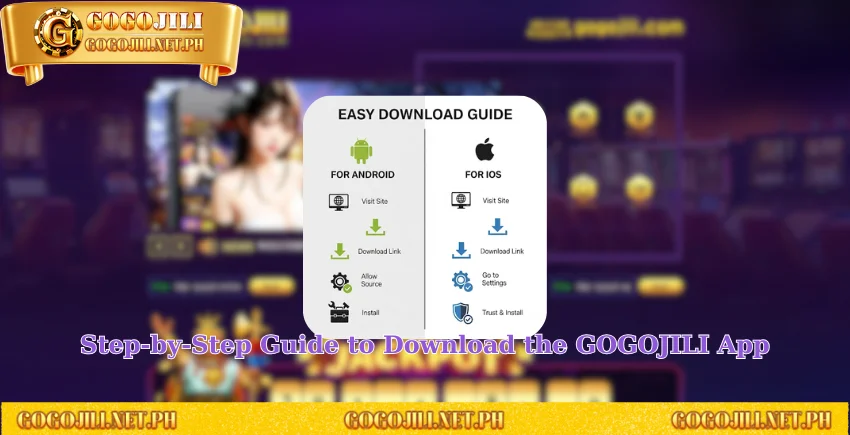
Downloading the GOGOJILI App on Android Devices
Follow these steps to quickly and easily download the GOGOJILI app on your Android device:
Step 1: Go to the Official Website. Open the web browser on your phone and go to the official GOGOJILI website: https://gogojili.net.ph/.
Step 2: Find the “Download App” Section. On the homepage, click on the “Download App” button located on the menu. The website will then show you the download links. Select the one that is compatible with the Android operating system. The system will then automatically start downloading the app to your phone.
Step 3: Allow Installation. A new notification will pop up, asking for permission to install an app from an unknown source. You must click “Allow” to continue. This is a standard security prompt for apps downloaded outside the Google Play Store.
Step 4: Finish the Installation. The download and installation process will take about 1 to 2 minutes to complete. Once you see the GOGOJILI logo on your phone’s home screen, the process is complete. Click on the logo, log in or create an account, and start playing!
Downloading the GOGOJILI App on iOS Devices
The process for downloading the GOGOJILI app on an iOS device is just as simple and has a few similar steps:
Step 1: Go to the Official Website. Access the official GOGOJILI website through your web browser.
Step 2: Find the “Download App” Section. From the menu, select the “Download App” section and choose the link for iOS.
Step 3: Authorize the App. The download will begin immediately. Once it’s complete, go to your phone’s “Settings” and navigate to “General” > “VPN & Device Management”. Find the GOGOJILI app’s enterprise developer profile and tap on it. Then, select “Trust [Developer Name]”. This is a necessary step to allow the app to run on your device.
Step 4: Start Your Gaming Journey. Now, you can go back to your phone’s home screen, click the app logo, and begin your exciting gaming journey.
Advantages of Using the GOGOJILI App
There’s a reason why the number of people downloading the GOGOJILI app has been increasing recently. It’s all thanks to these incredible benefits:
- Optimized for Mobile: The app is designed specifically for mobile devices, so the interface and features are arranged for maximum convenience. You can easily navigate and place bets with just a few taps.
- Faster and More Stable: The app is faster and more stable than the web version, so you won’t experience any lag, even with a slow internet connection.
- Enhanced Security: The app has enhanced security features, including the option to use biometric login (Face ID or Touch ID), which makes your account more secure.
- One-Tap Access: Once the app is installed, you don’t have to waste time searching for a reliable link every time you want to play. This saves you from the frustration of dealing with blocked websites.
- Instant Notifications: The app’s notification feature ensures you never miss a new game, event, or bonus from GOGOJILI. You’ll get real-time alerts on your phone.
- Convenient Transactions: You can easily copy your account information and transaction codes for deposits and withdrawals, which helps you avoid mistakes.
- Mobile-Exclusive Bonuses: The app provides access to exclusive promotions and bonuses that are only available to mobile users.
Learn More: GOGOJILI Deposits – A Complete Guide to Funding Your Account
Important Things to Remember When Downloading the GOGOJILI App
While the process is simple, you should keep these few things in mind to ensure a smooth and successful download:
- Check Your Phone’s Storage: Before you download, make sure you have enough free space on your phone. If your storage is full, you should delete unused apps, photos, or videos to free up space.
- Only Download from the Official Website: To avoid risks, only download the app from our official website, https://gogojili.net.ph/. Never download from a third-party link, as it could contain viruses that might harm your device or steal your personal information.
- Check Your Internet Connection: Make sure your internet connection is stable before you start the download. A stable connection will prevent interruptions and save you time.

Conclusion
We hope this detailed guide helps you with the GOGOJILI app download process. The app promises a smooth and uninterrupted gaming experience, free from the issues that can affect other platforms. If you need any assistance, don’t hesitate to contact our customer support team right away.




